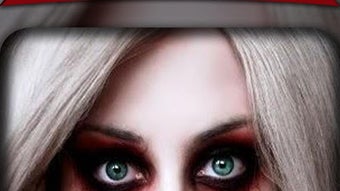

Download Halloween Photo Editor 2018 – Halloween photo editor, scary mask editor, Halloween costume, Halloween fun, Halloween party, Halloween celebration, Halloween photo app, Halloween selfie app, ghost mask, zombie mask, vampire mask, werewolf mask, Halloween filter, Halloween fun app, Halloween game, Halloween selfie game
Overview
Halloween Photo Editor 2018 is a mobile application designed to enhance the festive spirit of Halloween through interactive photo editing. Developed by The Fashion Crazier, the app allows users to transform their selfies into eerie, themed images using a variety of Halloween-inspired masks. Its primary purpose is to provide entertainment during Halloween celebrations, parties, and events by enabling users to appear as ghosts, zombies, vampires, or werewolves. The app is tailored for casual users, especially fans of Halloween and social media sharing, who enjoy playful digital experiences.
Real-world usage scenarios include preparing for costume parties, creating humorous or spooky content for social media, and engaging in digital games with friends. The app supports offline use, meaning users can edit photos without an internet connection, which enhances accessibility during events. While the developer did not provide additional system requirements, the app is available on Android devices and is designed for ease of use, even for younger audiences. The free pricing model makes it accessible to a broad audience, though in-app purchases are available.
Key Features & Capabilities
- Halloween-themed masks: Access to a selection of digital masks including ghost, zombie, vampire, and werewolf designs for realistic transformation.
- Selfie integration: Users can take or upload a photo and apply masks directly to their face in real time.
- Fun and creative editing: Enables users to create entertaining and spooky images for social sharing or personal amusement.
- Offline functionality: The app can be used without an internet connection, allowing for uninterrupted use during events.
- Simple sharing options: Photos can be shared directly to social media platforms, supporting viral engagement during Halloween festivities.
These features are ideal for users looking to enhance their Halloween experience with visual effects. For example, a user attending a costume party can quickly edit their photo to match their outfit, making it appear as though they are a real ghost. Similarly, families or friends can use the app to create humorous content for group chats or event highlights. The app’s focus on entertainment rather than professional editing ensures it remains lightweight and accessible.
User Interface, Workflow & Performance
The user interface is designed with simplicity and clarity in mind, making it intuitive for users of all ages. Navigation is straightforward, with main functions such as camera access, mask selection, and sharing located within a clean layout. The workflow follows a logical sequence: launch the app, take a photo or select one, choose a mask, apply it, and share the result.
Performance details were not specified by the developer. However, based on general software behavior, the app likely operates efficiently on Android devices with standard processing capabilities. The 15.7 MB file size suggests a lightweight design, which typically correlates with low resource consumption. The developer did not provide information on CPU or RAM usage. Stability during use appears to be consistent with typical mobile applications of this nature, though no specific reports were included. The app supports offline use, which may contribute to consistent performance without network dependency.
Compatibility & System Requirements
Halloween Photo Editor 2018 is compatible with Android operating systems. The specific version of Android required was not provided by the developer. The installation size is 15.7 MB, which is relatively small and suitable for devices with limited storage. The developer did not specify hardware requirements such as RAM, processor speed, or screen resolution.
Exact system requirements were not listed. Compatibility information was partially provided, indicating that the app is designed for Android devices. Users should ensure their device runs a supported version of Android to avoid installation issues. The app’s offline functionality suggests it does not rely on continuous connectivity, which may improve compatibility across a range of devices. However, no detailed testing data was shared.
Pros and Cons
Pros
- Free to download and use, making it accessible to a wide audience.
- Simple and intuitive interface suitable for children and casual users.
- Offers a variety of Halloween-themed masks for creative expression.
- Supports offline use, enabling use without internet access.
- Facilitates quick sharing of edited photos on social media platforms.
Cons
- In-app purchases may limit access to premium features or masks.
- Limited information on system requirements and performance.
- No details on advanced editing tools or customization options.
- Version 1.0 suggests it may not include recent updates or improvements.
- App availability is restricted to Android, limiting cross-platform use.
FAQ Section
Is Halloween Photo Editor 2018 available for iOS devices?
The app is currently available only on Android. No information was provided about iOS compatibility.
Can I use the app without an internet connection?
Yes, the app supports offline functionality, allowing users to edit and save photos without requiring an internet connection.
Are there any in-app purchases in the app?
Yes, the app includes in-app purchases, which may unlock additional masks or features.
Is the app safe to download and use?
The app is developed by The Fashion Crazier and is available for free on Android. It is recommended to download from official sources to ensure security.
How often does the app receive updates?
Version 1.0 was released in 2018. No information was provided about update frequency or future development plans.
Final Thoughts
Halloween Photo Editor 2018 delivers a fun and accessible way to celebrate Halloween through digital photo editing. Its focus on entertainment, combined with a simple interface and offline use, makes it ideal for casual users and Halloween enthusiasts. While it lacks advanced editing tools and detailed system information, its core purpose is well-executed for light-hearted, festive content creation. The app is particularly valuable during Halloween parties, events, and social gatherings where quick, engaging visuals are desired.
For those seeking a free, easy-to-use tool to create spooky or humorous selfies, this app remains a viable option. Despite its age and limited feature set, its core functionality continues to serve its intended audience. Download Halloween Photo Editor 2018 now to add a touch of Halloween magic to your celebrations.




.png)


